Did you know that nearly 80% of email traffic is spam? Temporary email services present a clever solution for anyone looking to maintain a clutter-free inbox while exploring online opportunities.
What You Will Learn
- Temporary email addresses allow instant creation without registration, providing anonymity when signing up for services.
- Using disposable emails helps minimize spam exposure, keeping your primary inbox clean and organized.
- Not all temporary email services are reliable; always choose reputable providers that prioritize user privacy.
- Be cautious when using temporary emails for sensitive accounts that require long-term access or personal information.
- It's important to regularly monitor communications sent to your temporary email to catch any suspicious activity early.
Temporary Email: Use Cases vs. Risks
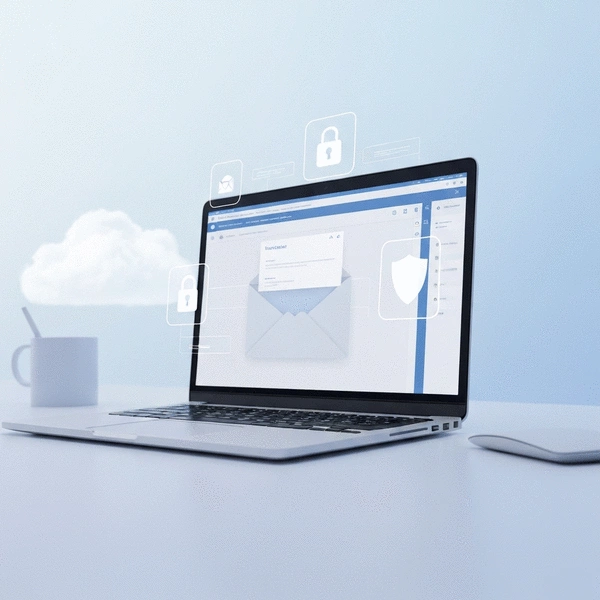
This visual highlights the primary reasons for using a temporary email address alongside the hidden risks associated with their usage, offering a balanced perspective. For a more detailed breakdown, consider our guide on understanding the risks of disposable emails.
Key Use Cases
- ✓Sign-ups for Newsletters & Downloads
- ✓Social Media & One-Time Account Creation
- ✓Minimizing Spam & Controlling Inbox Clutter
Benefit: Protects primary inbox from unwanted emails.
Hidden Risks & Limitations
- ✗Not Suitable for Sensitive Information/Long-term Accounts
- ✗Varying Data Retention Policies by Providers
- ✗Potential for Account Lockouts if Access is Lost
Caution: Requires careful selection and usage.
Understanding Temporary Email: Use Cases and Limitations
When it comes to navigating the digital world, understanding temporary email can be a game changer! At TempEmail Guide, I’m dedicated to empowering users like you with the knowledge you need to enhance your online privacy and security. So, what exactly is temporary email, and how does it work?
What is Temporary Email and How Does It Work?
Temporary email, often referred to as disposable email, is a service that provides you with an email address that is only valid for a limited time. You can use these addresses to sign up for services, access content, or verify accounts without exposing your primary email to spam. Most temporary email services work by generating a random email address that forwards messages to your actual inbox or allows you to view them on their site.

- Instant Creation: Temporary email addresses can be created instantly without any registration.
- No Personal Info Needed: You don’t have to share your personal details to create one.
- Self-Destructing: After a set period, these emails automatically delete, keeping your information private.
This means you can enjoy the benefits of online services while keeping your main email clean and free from unwanted clutter. However, it’s essential to remember that these addresses may not be suitable for long-term accounts or sensitive communications.
Common Scenarios for Using Disposable Email Addresses
There are numerous scenarios where temporary email addresses can be incredibly useful. Here are some common situations where I often recommend using disposable emails:
- Signing Up for Newsletters: Want to stay updated without the influx of spam? Use a temporary email!
- Downloading E-books or Resources: Many websites require an email for access—this is where temp emails shine.
- Social Media Registrations: Create accounts without linking them to your primary email.
These scenarios highlight the convenience of temporary emails, helping you maintain your digital footprint while enjoying online services. Just remember that while they serve a purpose, they may not cover all your needs! For more insights, refer to our comprehensive guide on understanding temporary emails for sign-ups.
Spam Prevention: How Temporary Emails Help Reduce Unwanted Messages
Spam is one of the most frustrating aspects of using email, but temporary emails can help you tackle this issue head-on. By using a disposable address, you can prevent your primary inbox from being bombarded with unwanted promotional messages.

- Minimize Spam Exposure: Use a temp email to sign up for services that you suspect will send unnecessary emails.
- One-Time Use: If you don’t plan to interact with a service again, a temporary email is the perfect solution.
- Control Your Inbox: Keep your personal email clean and organized by managing your subscriptions through disposable emails.
This proactive approach not only keeps your inbox manageable but also enhances your overall online experience. Just be mindful of which services you use, as not all may allow disposable addresses!
Pro Tip
When using temporary emails, always evaluate the service's privacy policy. Look for providers that clearly outline their data retention practices and ensure that they don’t sell your information. This will help you maintain better control over your personal data while enjoying the benefits of disposable email addresses.
Frequently Asked Questions About Temporary Email
What is a temporary email address?
A temporary email address is a disposable email that is only valid for a limited time. It allows you to sign up for services, access content, or verify accounts without using your primary email, helping to protect your privacy and reduce spam.
Why should I use a temporary email?
Temporary emails are useful for minimizing spam exposure, signing up for newsletters, downloading resources, and creating one-time accounts without cluttering your main inbox or exposing your personal email address.
Are temporary emails safe for sensitive information?
No, temporary emails are generally not suitable for sensitive information or long-term accounts where you need continuous access or where personal data is involved. They are best for transient interactions.
How do temporary email services work?
Most temporary email services generate a random email address instantly without requiring registration. Messages sent to this address can be viewed on their site or sometimes forwarded to your real inbox, and the address typically self-destructs after a set period.
What are the risks of using temporary emails?
Risks include varying data retention policies (which may not guarantee immediate deletion), the potential for account lockouts if access is lost, and the unsuitability for sensitive information or accounts requiring long-term access.
Summarizing the Hidden Risks and Best Practices for Temporary Email
As we explore the world of temporary email, it's essential to highlight the hidden risks that can arise from their use. While these disposable addresses offer convenience, they come with certain vulnerabilities that users must keep in mind. Understanding these risks and implementing best practices can empower you to navigate the digital landscape more securely.
Key Takeaways: Navigating Temporary Email Safely
To summarize the crucial points about temporary email, here are some key takeaways that I’ve gathered during my journey with TempEmail Guide:
- Always choose reputable providers: Not all temporary email services are created equal. Opt for those that prioritize your privacy and have transparent policies.
- Be cautious with sensitive information: Avoid using temporary emails for important accounts that require long-term access or involve personal data.
- Regularly monitor your accounts: Keep an eye on any communications sent to your temporary email to catch any suspicious activity early.
By keeping these takeaways in mind, you can significantly enhance your online privacy and reduce the risks associated with temporary email.
Taking Action: How to Protect Your Privacy and Data
Now that we have a clearer understanding of the risks, it’s time to take action! Protecting your privacy and data is crucial in today’s digital age, and your choice of email solution plays a significant role in that.
Choosing the Right Email Solution for Your Needs
Selecting the appropriate email solution is vital for safeguarding your personal information. Ask yourself:
- What type of communications do I need to send or receive?
- Am I comfortable with the level of privacy provided by temporary email?
- Do I need a long-term or short-term solution?
By reflecting on these questions, you can make an informed decision that aligns with your privacy needs.
Engaging with Tools: Exploring Free Alias Generators and More
If temporary emails don't quite meet your needs, consider exploring other options like email aliases. These tools can help you maintain privacy while offering more control over your communications. I encourage users to look into:
- Free alias generators for quick setups
- Services that integrate seamlessly with your existing email account
- Providers that offer enhanced security features
Utilizing these tools can help you maintain a strong security posture while staying connected. For guidance on how to use these effectively, explore our advice on the safe use of disposable emails.
Understanding Data Retention Policies of Temporary Email Providers
Before you dive into using a temporary email service, it’s essential to understand their data retention policies. Here are some points to consider:
- How long does the service store your data?
- What happens to your emails after the retention period ends?
- Are there any guarantees regarding data deletion?
By being aware of these policies, you can select a provider that aligns with your privacy expectations.
Your Next Steps: Implementing Best Practices Today
Having discussed the risks and tools at your disposal, it’s time to focus on the practical steps to implement these best practices in your daily life.
Creating a Secure Email Strategy for Your Digital Life
Designing a secure email strategy involves considering all aspects of your online interactions. Make sure to:
- Utilize a mix of temporary and permanent email addresses based on your needs.
- Stay organized by categorizing emails using aliases or labels.
- Regularly update your passwords and enable two-factor authentication where possible.
By having a strategy in place, you can significantly bolster your online safety.
Staying Informed: Keeping Up with Email Security Trends
The digital world is always evolving, and so should your knowledge about email security. I recommend subscribing to relevant newsletters and following trusted sources that cover:
- The latest security updates and threats
- New tools and technologies for privacy protection
- Best practices in email management
Staying informed empowers you to adapt and protect your privacy effectively. For a deeper understanding, check out our article on temporary vs. permanent email.
User Education and Awareness on Email Privacy Tools
Finally, educating yourself and others about the importance of email privacy is crucial. Share insights, resources, and tips with friends and family to help them navigate the complexities of email security. You can:
- Host discussions about the importance of online privacy
- Encourage others to explore temporary emails and email aliases responsibly
- Provide resources from TempEmail Guide to share accurate information
By fostering awareness, we can create a safer digital environment for everyone!
Recap of Key Points
Here is a quick recap of the important points discussed in the article:
- Temporary email addresses can be created instantly without registration, providing quick access to online services.
- Using disposable emails helps in minimizing spam exposure and keeping your primary inbox organized.
- Always choose reputable temporary email providers to ensure your privacy and data security.
- Avoid using temporary emails for important accounts requiring long-term access or sensitive information.
- Regularly monitor your temporary email accounts for any suspicious activity.
- Consider alternative tools like email aliases for better control over your online communications.